Postman is a great tool to showcase how APIs work. The collections for commercetools are very sophisticated and provide all the details you need in order to demo their capabilities.
However, sometimes it is just great to know alternative ways to demo certain aspects. Especially from a developer perspective, Visual Studio Code seems to be the de-facto standard nowadays. VS Code has a huge ecosystem of extensions available … and one of these is REST Client created by Huachao Mao. Here is the link to the GitHub project also with documentation and additional examples. REST Client allows you to send HTTP request and view the response in Visual Studio Code directly.
You can easily create your own scripts/documents (for the lack of a better word, I’ll use scripts from now on) that include all the necessary steps that you want to focus on. Specific environments can be configured and used during the execution of these scripts. Thus making the script independent from the commercetools project that you want these requests to execute against.
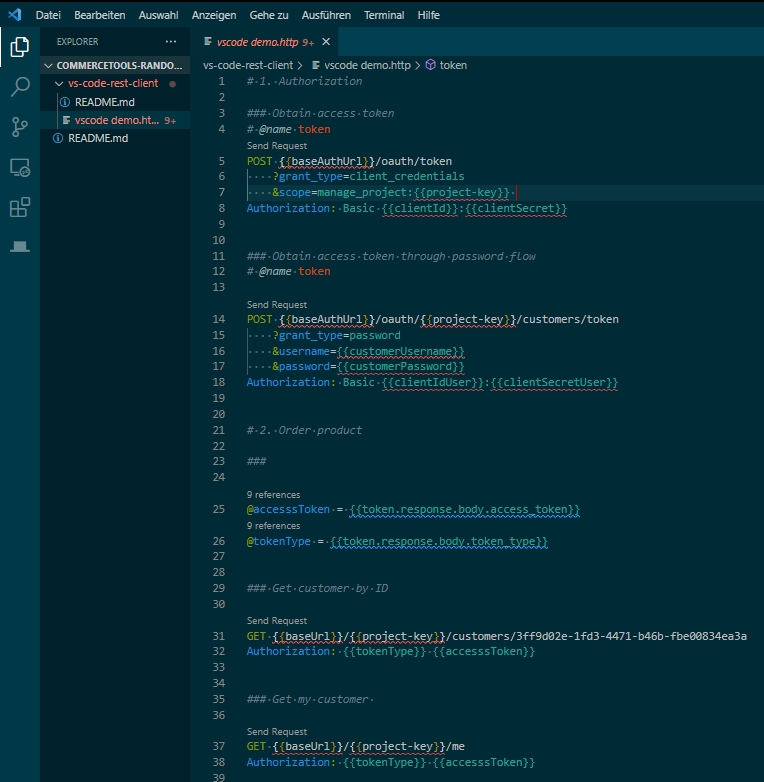
An example script can be found in my commercetools-random repo or in the section below. In addition to API it also allows you to specify GraphQL requests. Results from an API call can be stored in variables so that you can use these in subsequent calls (see access token variable @accesssToken as an example).
As you will see, this script uses variables from an environment. This environment can be set-up in the VS Code settings.json.
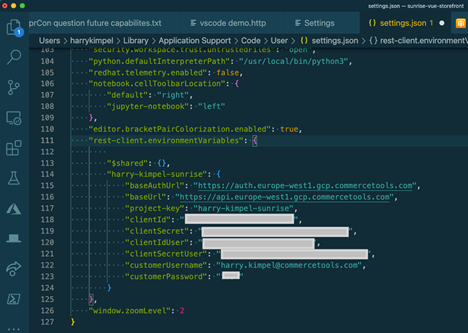
settings.json
    "rest-client.environmentVariables": {
        "$shared": {},
        "harry-kimpel-sunrise": {
            "baseAuthUrl": "https://auth.europe-west1.gcp.commercetools.com",
            "baseUrl": "https://api.europe-west1.gcp.commercetools.com",
            "project-key": "harry-kimpel-sunrise",
            "clientId": "<CLIENT-ID>",
            "clientSecret": "<CLIENT-SECRET>",
            "clientIdUser": "<CLIENT-ID>",
            "clientSecretUser": "<CLIENT-SECRET>",
            "customerUsername": "email@example.com",
            "customerPassword": "<PASSWORD>"
        }
    }
VS Code REST Client demo.http
# 1. Authorization

### Obtain access token
# @name token
POST {{baseAuthUrl}}/oauth/token
    ?grant_type=client_credentials
    &scope=manage_project:{{project-key}}
Authorization: Basic {{clientId}}:{{clientSecret}}


### Obtain access token through password flow
# @name token

POST {{baseAuthUrl}}/oauth/{{project-key}}/customers/token
    ?grant_type=password
    &username={{customerUsername}}
    &password={{customerPassword}}
Authorization: Basic {{clientIdUser}}:{{clientSecretUser}}


# 2. Order product

###

@accesssToken = {{token.response.body.access_token}}
@tokenType = {{token.response.body.token_type}}


### Get customer by ID

GET {{baseUrl}}/{{project-key}}/customers/3ff9d02e-1fd3-4471-b46b-fbe00834ea3a
Authorization: {{tokenType}} {{accesssToken}}


### Get my customer

GET {{baseUrl}}/{{project-key}}/me
Authorization: {{tokenType}} {{accesssToken}}


### Get product by product key

@productSearchKey = liebeskind

GET {{baseUrl}}/{{project-key}}/products/key={{productSearchKey}}
Authorization: {{tokenType}} {{accesssToken}}


### Get product projection by key

# @name product

GET {{baseUrl}}/{{project-key}}/product-projections/key={{productSearchKey}}
Authorization: {{tokenType}} {{accesssToken}}


###

@productId = {{product.response.body.id}}


### GraphQL request: use product projection search

POST {{baseUrl}}/{{project-key}}/graphql
Content-Type: application/json
Authorization: {{tokenType}} {{accesssToken}}
X-REQUEST-TYPE: GraphQL

query ($sku: String!, $locale: Locale!) {
    productProjectionSearch(text: $sku, locale: $locale, limit: 25) {
        total
        count
        results {
            id
            name (locale: $locale)
            slug (locale: $locale)
        }
    }
}

{
    "sku": "bag",
    "locale": "en"
}


### Example on how to use curl request directly

curl {{baseUrl}}/{{project-key}}/customers/3ff9d02e-1fd3-4471-b46b-fbe00834ea3a
-H "Authorization: {{tokenType}} {{accesssToken}}"


### Create my cart

# @name cart

POST {{baseUrl}}/{{project-key}}/me/carts
Authorization: {{tokenType}} {{accesssToken}}

{
    "currency" : "EUR",
    "shippingAddress":
    {
        "id": "exampleAddress",
        "key": "exampleKey",
        "title": "My Address",
        "salutation": "Mr.",
        "firstName": "Example",
        "lastName": "Person",
        "streetName": "Examplary Street",
        "streetNumber": "4711",
        "additionalStreetInfo": "Backhouse",
        "postalCode": "80933",
        "city": "Exemplary City",
        "region": "Exemplary Region",
        "country": "DE",
        "company": "My Company Name",
        "department": "Sales",
        "building": "Hightower 1",
        "apartment": "247",
        "pOBox": "2471",
        "phone": "+49 89 12345678",
        "mobile": "+49 171 2345678",
        "email": "mail@mail.com",
        "fax": "+49 89 12345679",
        "additionalAddressInfo": "no additional Info",
        "externalId": "Information not needed"
    }
}


###

@cart-id = {{cart.response.body.id}}
@cart-version = {{cart.response.body.version}}


### Add product to cart

# @name cart

POST {{baseUrl}}/{{project-key}}/me/carts/{{cart-id}}
Authorization: {{tokenType}} {{accesssToken}}

{
    "version": {{cart-version}},
    "actions": [
        {
            "action" : "addLineItem",
            "productId" : "{{productId}}",
            "variantId" : 1,
            "quantity" : 1,
            "supplyChannel" : {
              "typeId" : "channel",
              "id" : "de8f80e8-b073-48d2-b574-f6291913b66e"
            },
            "distributionChannel" : {
              "typeId" : "channel",
              "id" : "de8f80e8-b073-48d2-b574-f6291913b66e"
            },
            "externalTaxRate" : {
            }
        }
    ]
}

###

@cart-version = {{cart.response.body.version}}


### Create my order

POST {{baseUrl}}/{{project-key}}/me/orders
Authorization: {{tokenType}} {{accesssToken}}

{
  "id" : "{{cart-id}}",
  "version" : {{cart-version}}
}